Scan a receipt.
Never open it again.
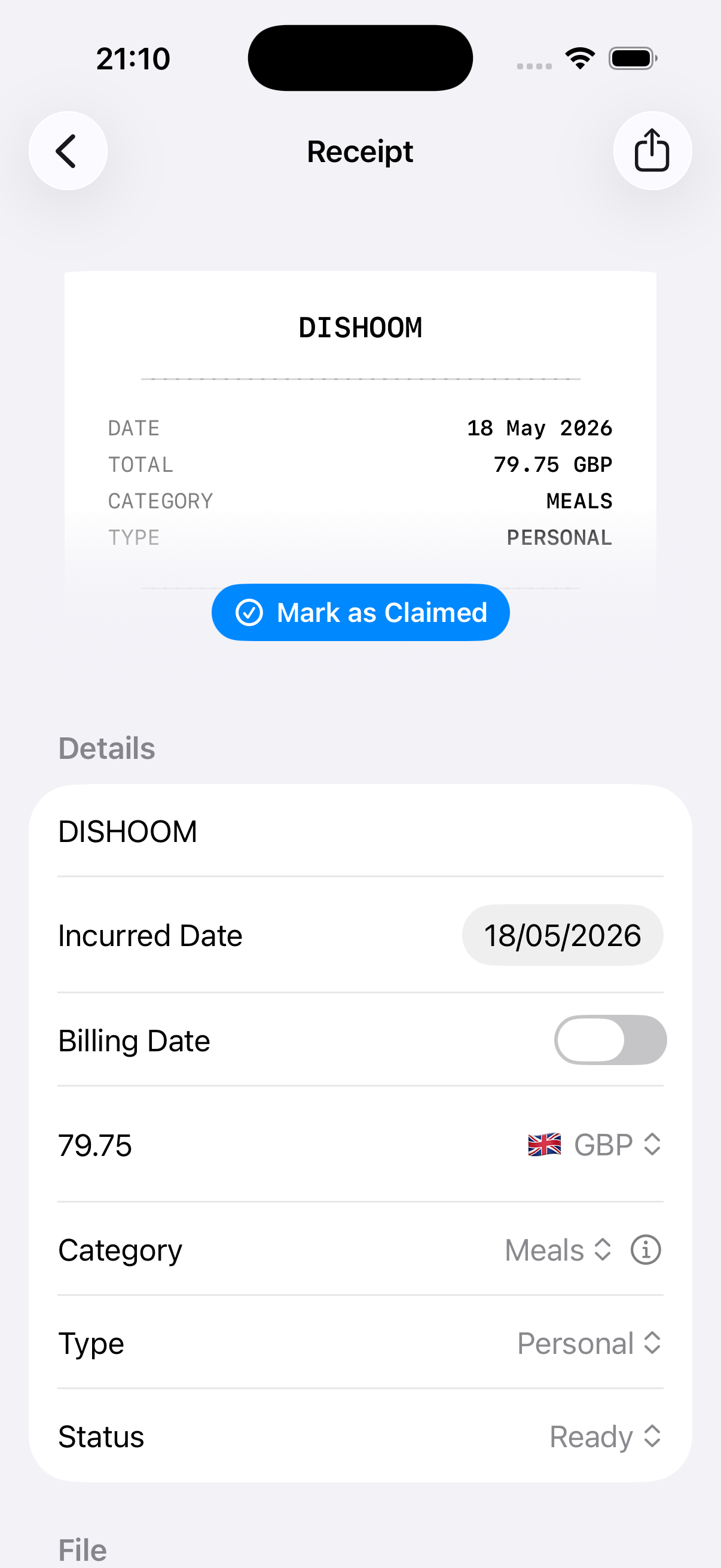
On-device AI pulls the date, amount, and category off your receipt, then puts it all in the filename. Everything you need to file a claim, without opening a single PDF.
Free · No account · No tracking · iPhone only
— an early TestFlight tester
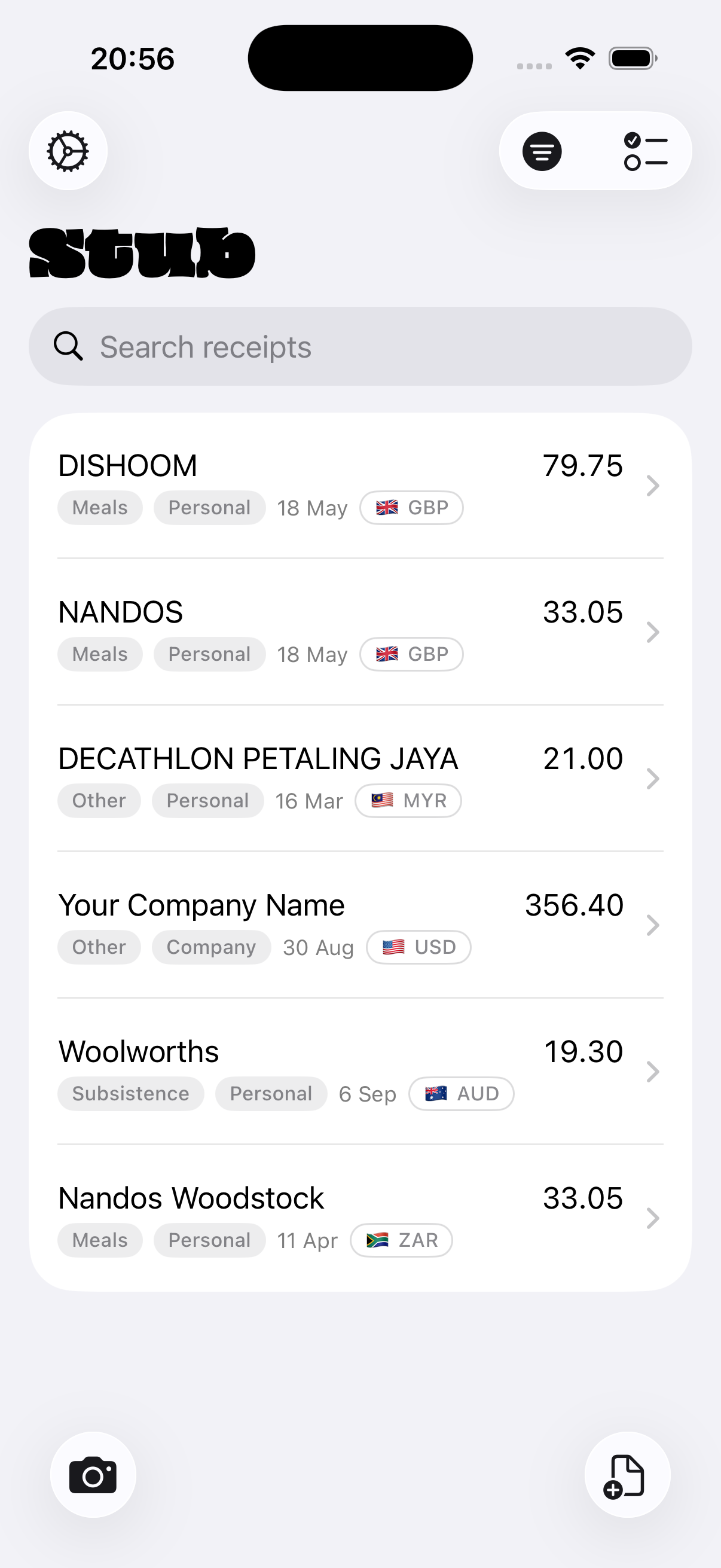
You already scan your receipts. You just hate what happens next.
You snap a photo. It lands in your camera roll as IMG_4821.HEIC. You do this thirty times a month.
Then it's claim day. You scroll through hundreds of photos, opening each one to check the date, the amount, the merchant. You type it all into a spreadsheet. You rename the files so finance can tell what they are. You attach them one by one.
Or you tried a "proper" receipt app: signed up, picked a plan, connected your accounting software, sat through an onboarding wizard. Now you have an enterprise expense platform when all you needed was a better camera roll.
There's a gap between "just use my camera" and "deploy an expense suite."
That's where Stub lives.
Built for people who file claims. Not the people who approve them.
You've been snapping receipt photos all year. It works until claim day, when you're opening 30 unnamed photos one by one. Stub is just as fast as your camera, but the receipt names itself.
You submit monthly via a spreadsheet or web portal. You need PDFs with sensible names, organised. No approval workflows. Select, export, share, done.
You track expenses for your accountant or tax return. You don't want to pay £24/month for a tool you use 15 times a month. Stub keeps your receipts in iCloud, ready to hand over.
You work in legal, medical, or government. You can't upload financial data to third-party clouds. On-device processing, or your own API key going direct to the provider.
Scan it. Name it. Claim it.
Scan
Point your camera at a receipt. Stub captures it as a crisp PDF, instantly.
AI reads it
On-device AI extracts the date, merchant, amount, currency, and category. Nothing leaves your phone.
It names itself
The filename tells the whole story. You'll never open the PDF to know what it is.
Backed up
Stored in your iCloud Drive by default, sorted into year and month folders, automatically.
Claim day, done
Select, tap export, get one ZIP of perfectly named PDFs. Share it. Mark as claimed.
From snapshot to filename in seconds.
Stamp a code right onto the PDF.
Your ERP needs a budget code, attendee names, or a department split? Add a note before export. Stub imprints it onto the page in red, so your ERP's scanner picks it up automatically. Save snippets for one-tap codes: CC-4470 Marketing, Budget: Q2-EMEA-Ops.
The filename is the receipt.
Every field you'd type into a claim row is already in the name. Date. Category. Amount. Currency. Browse them in the Files app, sort by name, drag into an email.
No spreadsheet archaeology
Fill in the date, category, amount, and currency columns straight from the filename. The PDF stays closed.
They're just files
Drag into an email. Share the whole folder. Sort by name. Standard PDFs in standard folders, nothing proprietary.
Yours, forever
Delete Stub entirely and your receipts stay, perfectly organised, in your iCloud Drive.
Your receipts. Your device. Your iCloud.
Receipts reveal where you eat, what you buy, where you travel, how much you spend. Every other scanning app uploads all of that. Stub doesn't, because Stub has no servers to upload to.
On-device AI
Apple Intelligence reads your receipt right on your phone. No upload. No cloud processing. No human reviewers. No training on your spending.
iCloud by default
Your receipts live in Apple's encrypted iCloud Drive, already on your phone. They sync, they survive a factory reset, and they belong to you. Not us.
No account, no tracking
Stub doesn't know who you are. No sign-up. It doesn't phone home. There's no server for your data to leak from.
Bring your own AI
Not on Apple Intelligence? Use OpenRouter with your own key: Claude, GPT, Gemini, anything. Your key goes direct to the provider, never through us.
Everything you need. Nothing you don't.
On-device AI
Apple Intelligence extracts dates, amounts, currencies, and merchants right on your phone, in seconds, with no internet required.
Smart filenames
Every receipt is named with date, category, amount, and currency. Fill your claim row from the filename alone.
iCloud backup
Receipts live in iCloud Drive by default. Always synced. Always backed up. Always yours.
Select, ZIP, share
Pick your month's receipts, export as one ZIP, and share it to your work email, your assistant, or your accountant. One action.
Stamp it on the receipt
Add cost centres, attendee names, or department splits as notes. Stub imprints them onto the PDF on export. Save one-tap snippets.
Bring your own AI
Not on Apple Intelligence? Bring your own OpenRouter key and pick any model. Your key, direct to the provider. We never see your data.
Claim tracking
Mark receipts as claimed after exporting. Always know what's been submitted and what's still outstanding.
Stub vs. the whole faff.
| Your camera | Expensify | Concur |  Stub Stub |
|
|---|---|---|---|---|
| Price | Free | $5–18/mo | Enterprise | Free |
| Account required | No | Yes | Yes | No |
| AI extraction | None | Cloud | Cloud | On-device |
| Works offline | Yes | No | No | Yes |
| Claim-ready without opening | No | No | No | Yes, the filename |
| Your data, your storage | Camera roll | Their cloud | Their cloud | Your iCloud |
| Batch export | Manual | CSV / report | CSV / report | ZIP of named PDFs |
| Stamp cost codes onto receipt | No | No | No | Yes |
| Setup time | 0 | 15+ min | Days | 0 |
Stub isn't competing with enterprise expense management. It's replacing the moment between getting a receipt and filing the claim, and making it instant.
Stub is in TestFlight.
We're building Stub in the open and shipping fast. Join the TestFlight to get early access, shape the product, and never open a receipt to fill a claim row again.
Get early access →Free. No account required. iOS 26+, iPhone only. On-device AI needs Apple Intelligence (A17 Pro or later). Older devices supported via OpenRouter with your own key.
"But what about…"
What if the AI gets it wrong?
My phone doesn't support Apple Intelligence.
What about multi-currency?
My ERP needs a cost centre on the receipt itself.
Can I customise the categories?
Travel vs Commuting). Toggle which categories apply to personal vs. company card expenses.